Pipedrive CRM
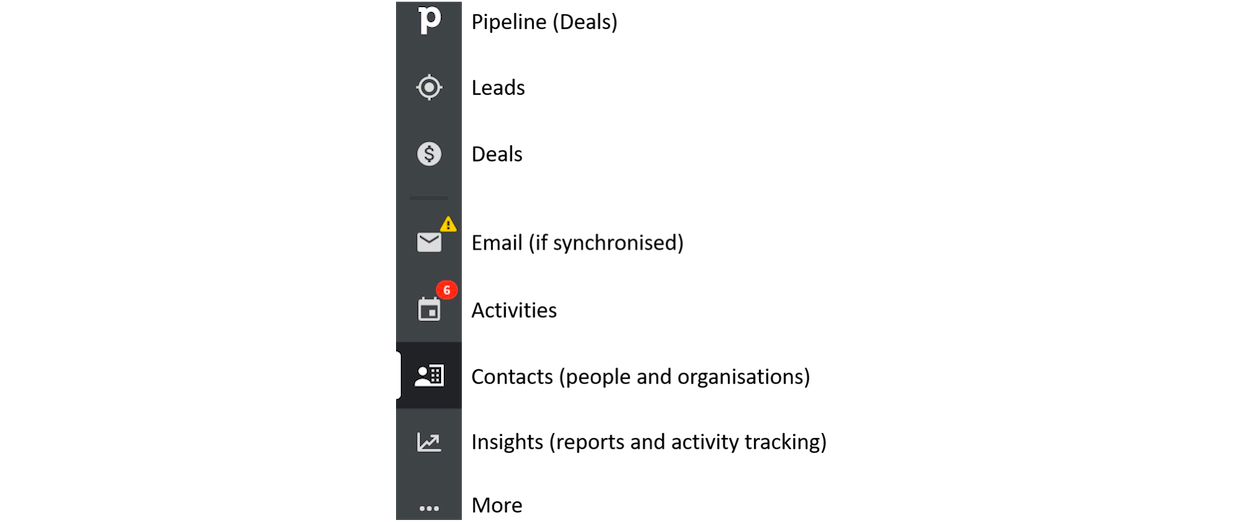
Leads
Please only put warm or hot leads into this section. You can connect or create new organisations and people and schedule/record activities from here to by pressing the green + sign next to the search box at the top.
Deals
Where a lead turns into a formal meeting we need to create deals and start to move them through the deal making process, e.g. Target > Lead > Meeting > Demo > Pilot etc. Please put all of your organised meetings and presentations with prospects here.
You can synch your email so that you can send mail through Pipedrive and it will automatically track both outbound and inbound emails. You can select which folders in your email to share so that non-TEF communications isn’t included. If you decide not to synch your email then you need to track email activities manually (see directly below).
Activities
Here we can schedule and record as completed activities, e.g. calls, emails, meetings, etc. Pipedrive will send you email reminders for planned activities. Once you click on ‘mark as done’ it will then be recorded, and by selecting the calendar icon you can see the team’s activities in calendar format.
Organising next activities ‘at a glance’
To help keep track of which organisations we have and haven’t been in contact with yet at a glance, there is an option to select specific columns to sort by. In 'Contacts', by selecting ‘last/next activity date' you can immediately see which companies have and haven’t been actioned, and organise by date to see when they took or will take place.
You can select which columns you want to sort by clicking on the settings cog.
Contacts
Add people and organisations here. You can link people to the organisations they work for. By clicking on a profile for either a person or organisation, you can write notes and create activities. You can add guests to meetings, for example if you need to pull in our data or people person. Remember to click on ‘mark as done’ when an activity is completed.
Insights
Here is where activities are tracked and mapped. You can change the filters and the visual presentation and export as an XLS for reporting.
Creating new organisations
Where an organisation has the name [Company] [Global] this means that they have offices in multiple target markets. If there is an office in your market(s) please create a separate profile and name it [Company] [Country] and start your sprint touch-point process. Pipedrive automatically opens up a new activity box when you click 'mark as done' and will send you a reminder email on the date.
When creating a new company profile, please make sure that it is a prequalified ideal customer target according to the need/value matrix in the competitor-market analysis (TEF drive > Sales & marketing > Competitor research). Where the company has offices in two or more of our markets, please name it [Company] [Global] and create a separate profile for your market(s). This way we can build an extensive database of ideal customer profiles across all of our markets, all of which being prequalified ideal customers, which we can then use for future marketing and sprint campaigns.
Cyclical touch-point process
We can build rules into our Pipedrive work, such as ‘every time you create and execute an activity, you have to create a future follow up activity in the profile.’ That way we are accountable to an infinite touch-point process which is easily recorded and tracked.