How to edit the URL
For search discoverability, we need to clean up the URLs.
Step 1: Copy the URL of the original English version of whatever you have translated. You only need to copy the part after www.theenglishfarm.com. In this particular case, the part we copied was "blog/impress-listeners-using-two-verb-tenses".
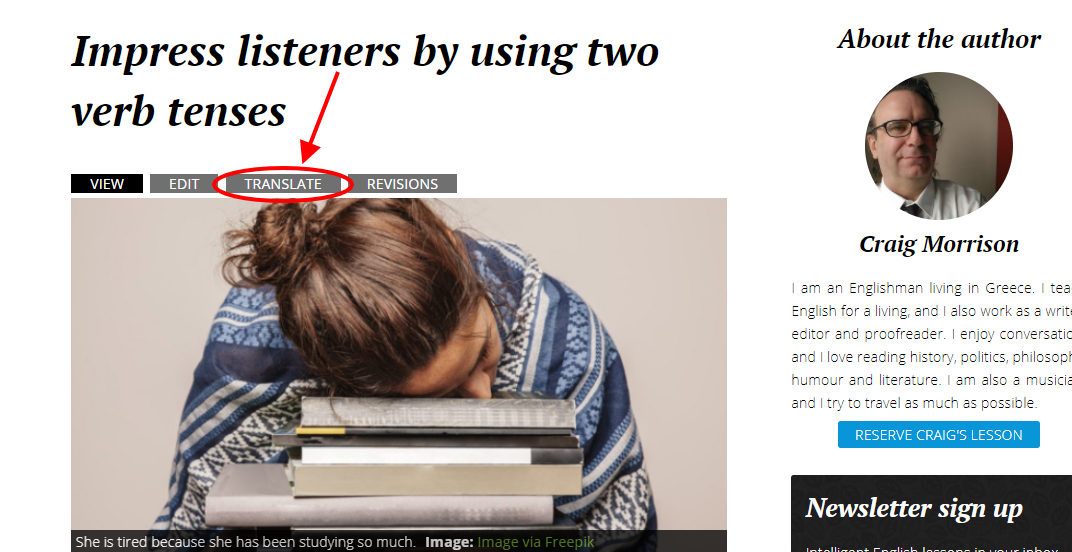
Step 2: Press the translate button. Things will probably go smoother if you go from the translate button than from the original translated version, so please go from there.
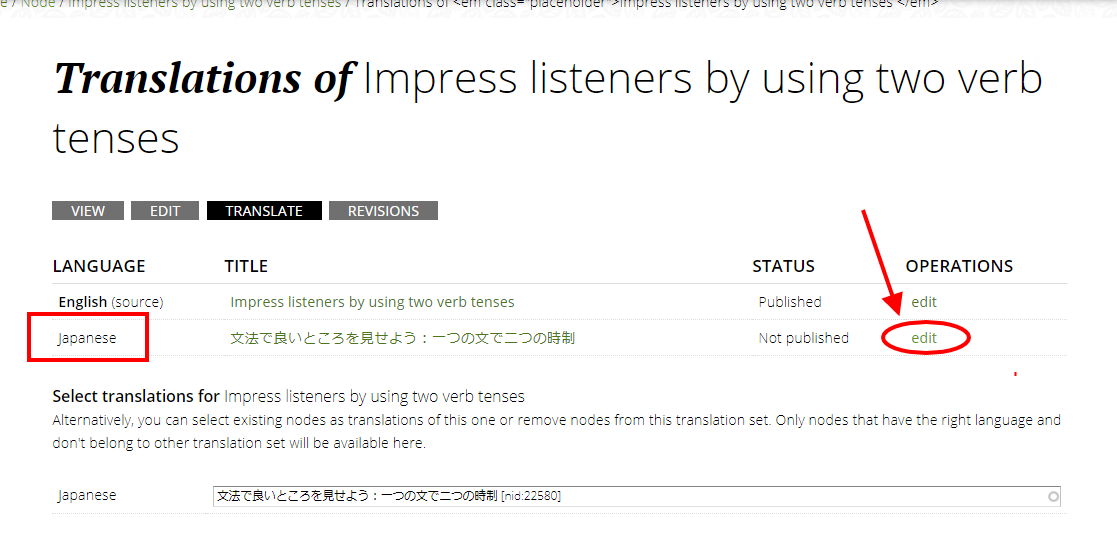
Step 3: Make sure the language is set to the language you have translated it to, and click "edit".
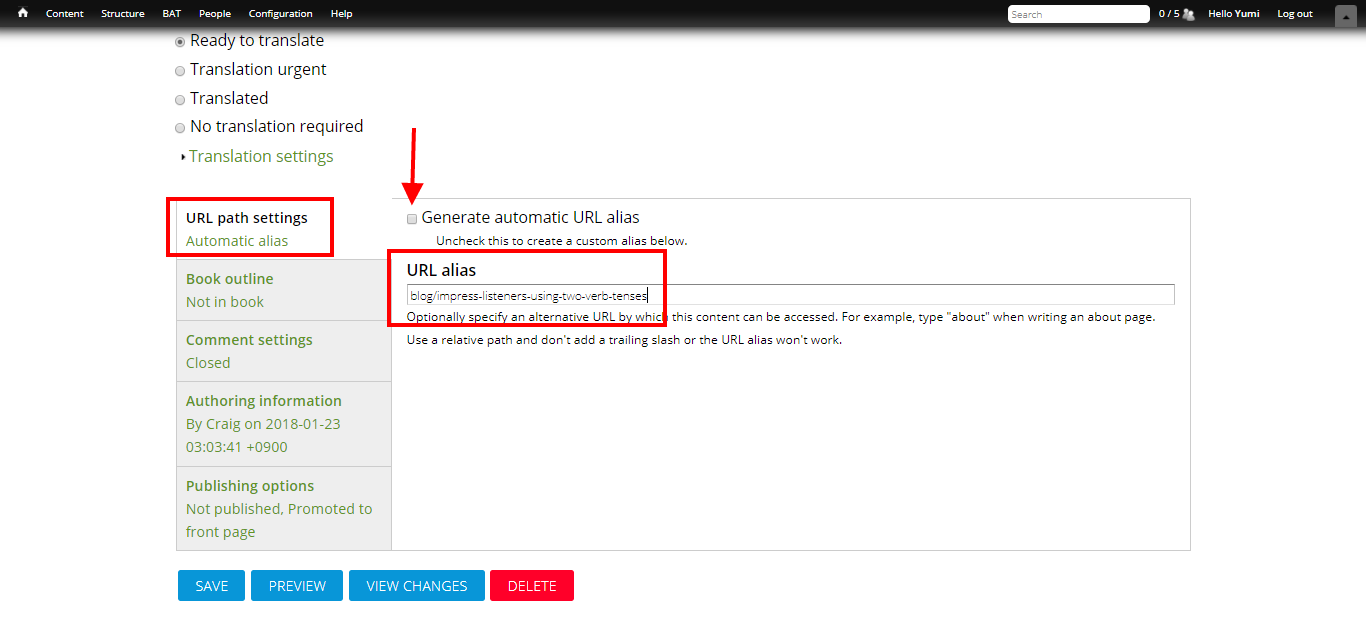
Step 4: Scroll down, and go to "URL path settings". Unclick the "Generate automatic URL alias" box, and paste the link you just copied into the "URL alias" box. As you can see, it says "blog/impress-listeners-using-two-verb-tenses" in the box.
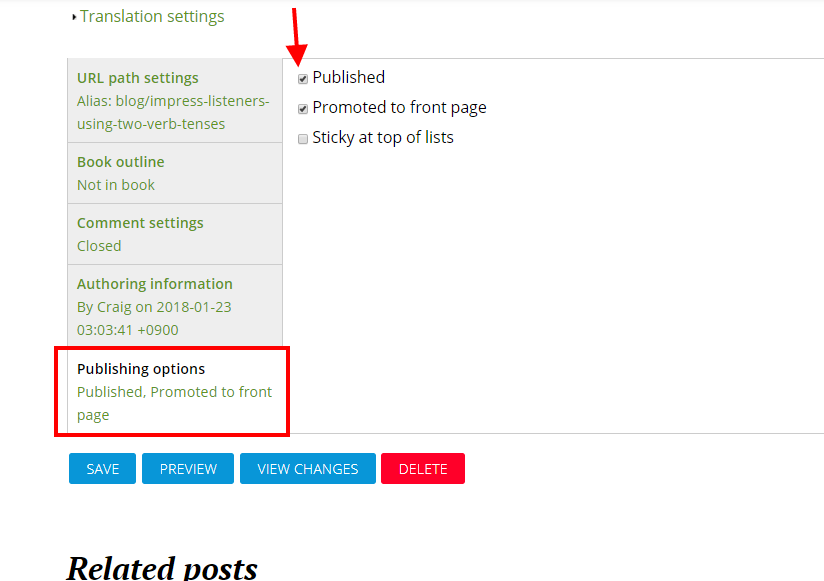
Step 5: If it is published already, go to "Publishing options" and click the "Published" box.
Step 6: Press save, and you're done :) Please make sure you check both the translated version and the original for the URL and the content. Also keep in mind that if the page is not published, you will get the old URL (in this case, "//ja/node/17191").