Refunding homework points
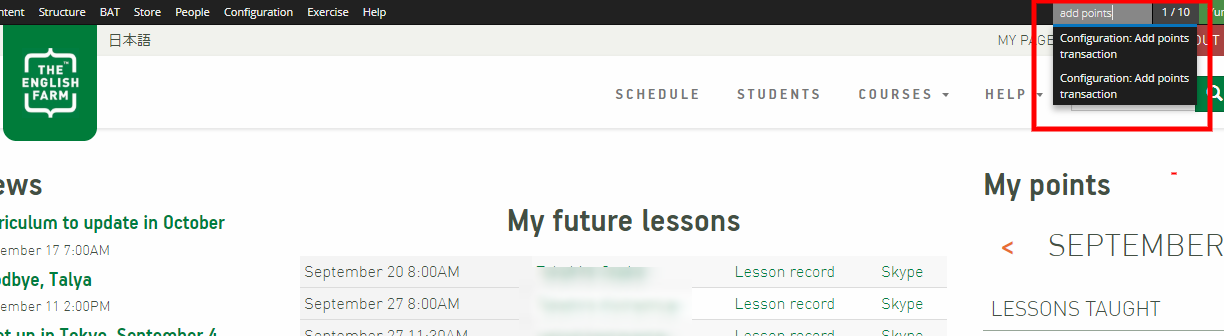
- Go to the top right-hand corner and type "add points". Click on "Configuration: add points transaction".
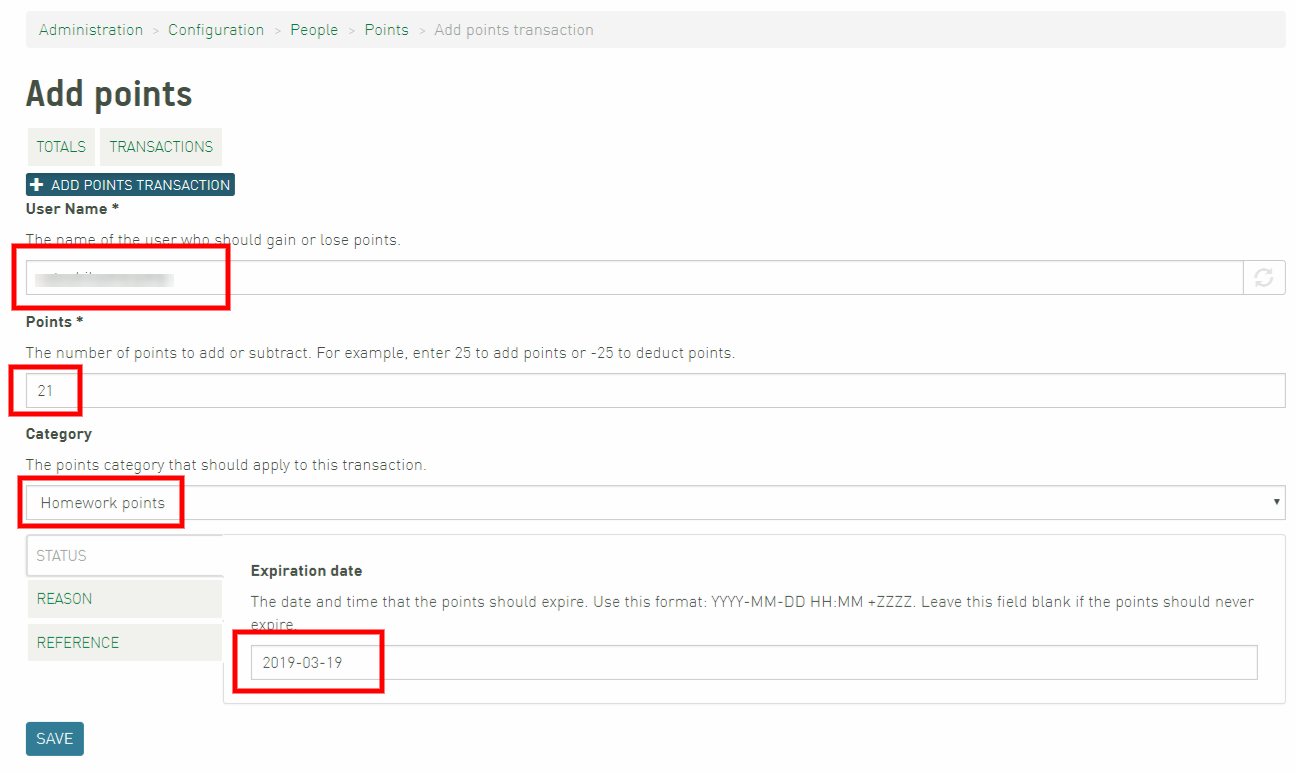
- You will jump to this page. Type in the student's user name, number of points you're giving them, and homework points (when you click "Category", you'll see it on the list). You don't put in the expiration date because they don't expire. You also need to type in a reason (this will be shown in the next step).
Please ignore the last square in the picture below (we changed the process).
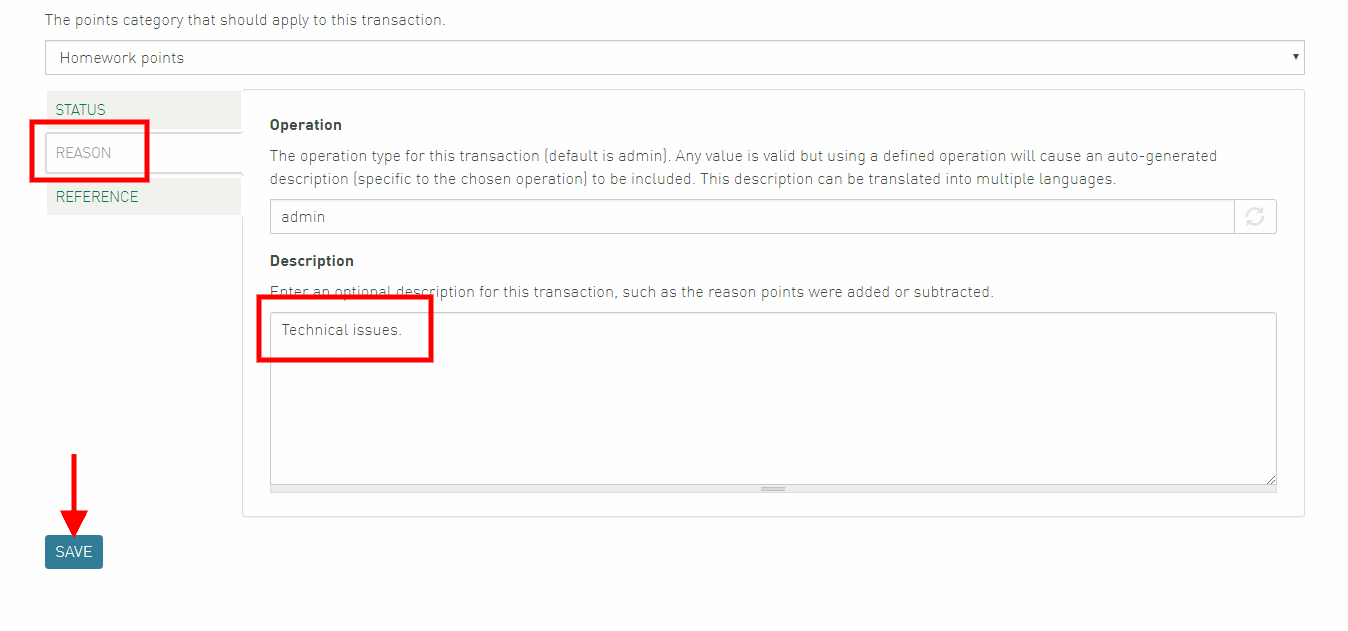
- Next, click "REASON" and write a reason. Remember that the reason will be sent to and seen by the student, so please keep that in mind when you are writing the reason. Once you're done, click "SAVE".